
Keyboard
Keyboard overlay display modes on macOS
Three modes, three reading experiences. Picking the wrong one is the most common reason an overlay feels noisy.
The three modes at a glance
The display mode is the first choice in Settings under Keyboard, presented as three cards rather than a menu, because the difference between them is visual rather than nominal. It decides what a viewer reads, not how loud the overlay looks.
| Mode | What is on screen | Best for | Trade-off |
|---|---|---|---|
| Latest | One combination at a time — the modifiers you are holding plus the keys pressed with them | Shortcut demos and teaching, where each press is a discrete instruction | Continuous typing collapses into a single keycap that changes too fast to read |
| Horizontal History | A row of recent keycaps: modifiers first, then special keys, then regular keys in press order | Streams and short typing demos where the last few presses still matter | A long word pushes the row wide across the display |
| Stacked History | The live combination at the anchor, with finished typing and shortcuts stacked above it as separate entries | Anything where words and sentences are the point rather than individual presses | Per-keycap detail gives way to the fragment as a whole |
Latest: one combination, then the next
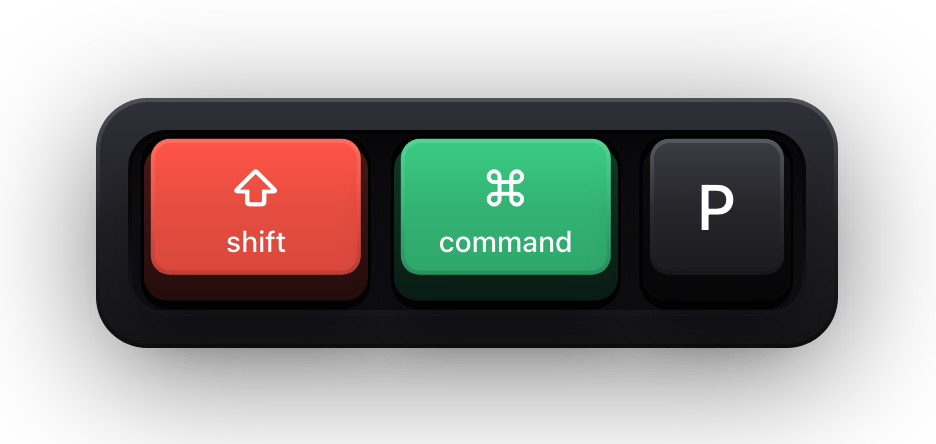
Latest tracks what is physically held. Press ⇧⌘P and all three caps appear together; release them and the combination stays on screen until the key timeout expires, so you have time to say what it did. Start a new combination and the previous one is dropped rather than queued.
It caps at four simultaneous non-modifier keys. That is a deliberate limit and not a setting: Latest exists to show a chord, and a fifth key pressed at the same time is typing, not a chord. Modifiers are not counted against it — you can hold all four and still show four keys.
This is the mode to use when you are narrating. One instruction on screen, replaced by the next, at the pace of speech.
Horizontal History: a row that ages out
Horizontal History accumulates. Each key gets its own cap, the row is ordered with modifiers first, then special keys, then regular keys by the moment they were pressed, and each entry disappears on its own timeout rather than all at once.
Three settings shape it, and they only appear in the history modes:
- Maximum Keys — how many items can be on screen at once, from 3 to 12, six by default. When the row is full the oldest items are dropped, and modifiers are kept in preference to letters.
- Duplicate Letters — with it on, typing hello shows five caps; with it off the repeated l collapses and you get four.
- Limit Includes Modifiers — whether held modifiers count against Maximum Keys. Turn it off and the limit applies only to the letters and special keys, so a long chord can never squeeze the actual keystroke out of the row. This switch is specific to Horizontal History.
Stacked History: typing that stays readable
Stacked History is the only mode that treats typing as text rather than as a stream of individual presses. The combination you are pressing right now sits at the overlay's normal anchor; above it, completed input is stacked as entries.
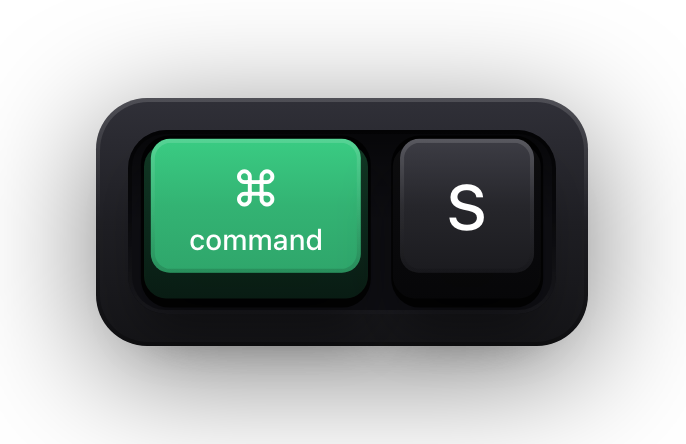
Consecutive characters are grouped into one fragment while you keep typing — the gap between presses has to stay under about two thirds of a second, and a fragment tops out around two dozen characters before a new one starts. A shortcut is never folded into a text fragment: it is archived as its own entry, which is what keeps ⌘S legible in the middle of a paragraph.
Maximum Keys governs how many entries can be stacked, and Duplicate Letters still decides whether a repeated character extends the fragment or merely refreshes it.
Which settings follow the mode
Changing the mode rebuilds the overlay from scratch, so whatever was on screen is cleared at that moment. Do it between takes, not mid-sentence.
| Setting | Latest | Horizontal History | Stacked History |
|---|---|---|---|
| Key Timeout (0.5–5 s) | Yes | Yes | Yes |
| Content mode and the three filters | Yes | Yes | Yes |
| Maximum Keys (3–12) | No — fixed at four simultaneous keys | Yes | Yes |
| Duplicate Letters | No | Yes | Yes |
| Limit Includes Modifiers | No | Yes | No |
Sources and further reading
Product details and guidance were checked against these first-party pages on August 5, 2026. Re-check current listings before making an install or high-stakes decision.
- Show KeyPress on the Mac App Store
Apple
The listing, with the current price, system requirements and version history.
FAQ
Questions people ask
Which display mode should I use for a tutorial?
Latest, in most cases. A tutorial is a sequence of commands, and Latest gives each one its own moment on screen. Switch to Stacked History for the parts where the typing itself is the lesson.
Why does fast typing look like one flickering key?
You are in Latest, which shows only the newest combination. That is correct behaviour for shortcuts and wrong for prose — Horizontal History or Stacked History is what you want while typing.
Can I show more than four keys at once?
In the history modes, yes — Maximum Keys goes up to 12. Latest is capped at four simultaneous non-modifier keys and that limit is not adjustable. Held modifiers do not count against it.
Does switching mode lose what is on screen?
Yes. The overlay is rebuilt when the mode changes, so anything currently displayed is cleared. Your settings are untouched — only the live contents go.